Computer
Note
Machine translation from the German version. In case of doubt, the content of the German version shall prevail.
Add computer to domain via GUI
To add a computer to the domain via GUI, it is first necessary to create a computer object in Active Directory in the correct location. Automatic creation of an object by the computer is not possible.
Create computer object
Requirements for joining computers to the domain:
A domain-joined workstation (preferably a dedicated admin workstation) Open the Active Directory Administrative Center as RUB_$OU_$loginid
Navigate through the selected tool by clicking through the AD tree to reach the desired location within your own OU. Right-click to create a new computer object.
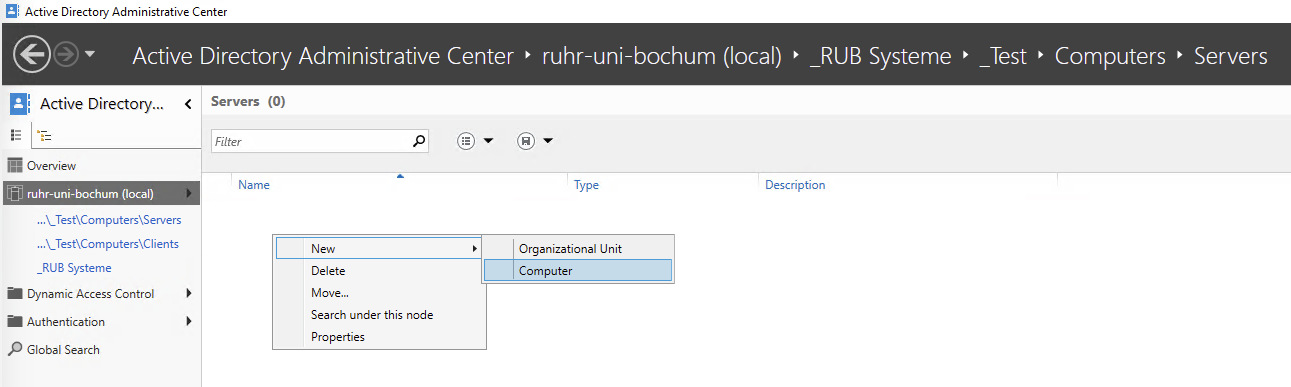
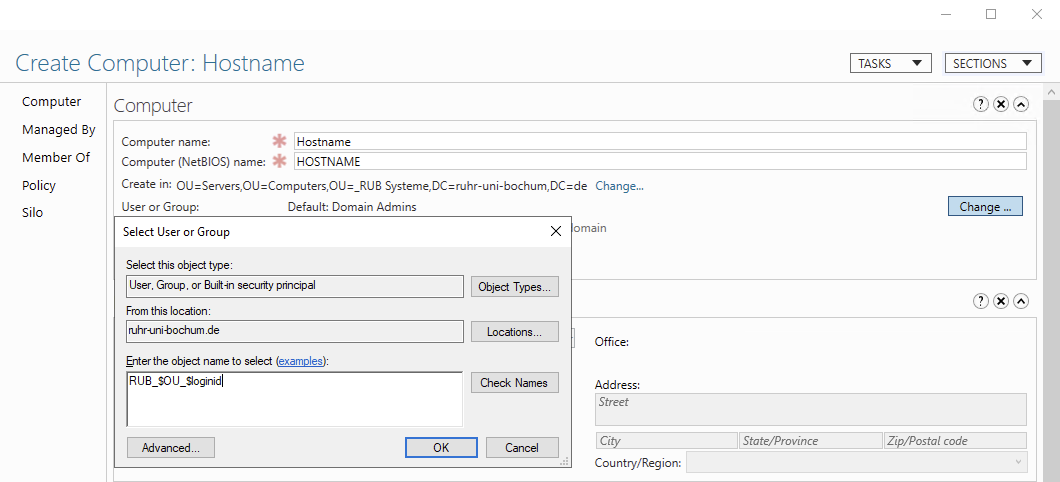
In the "Create Computer" mask, enter the hostname of the computer. Then set the user who is allowed to add this object to the domain. Here, enter your admin account.
Add to domain computer
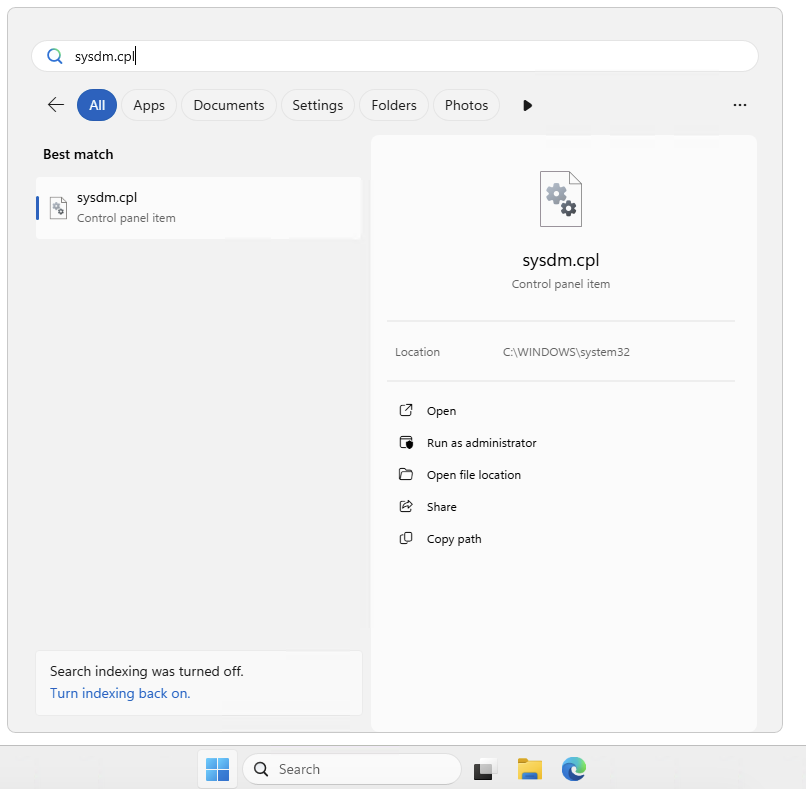
System properties need to be opened on the computer to which the AD is to be added. To do this, search for "sysdm.cpl" in the search box.
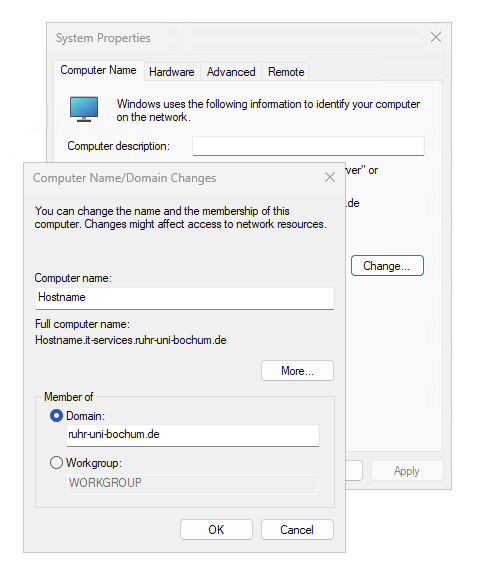
Now we click on the button to change the domain membership and enter "ruhr-uni-bochum.de" as the domain. You will then be prompted to enter access data. Please use the access data you provided earlier.
Record computer via PowerShell
You need to adjust the $TargetOU variable beforehand for your specific use case.
PowerShell
# Variablen:
$TargetOU = "OU=Clients,OU=Computers,OU=_Test,OU=_RUB Systeme,DC=ruhr-uni-bochum,DC=de"

try {
    # Anmeldeinformationen abfragen
    $Credential = Get-Credential -Message "Bitte Anmeldedaten für den Domain Join eingeben"

    # Computer zur Domäne hinzufügen
    Add-Computer `
        -DomainName ruhr-uni-bochum.de `
        -OUPath $TargetOU `
        -Credential $Credential `
        -ErrorAction Stop

    Write-Host "Computer erfolgreich zur Domäne ruhr-uni-bochum.de hinzugefügt und in '$TargetOU' erstellt." -ForegroundColor Green

    # Neustart durchführen
    Restart-Computer -Force
}
catch {
    Write-Host "Fehler beim Domain Join: $($_.Exception.Message)" -ForegroundColor Red
}