Restoration of files from snapshots
Note
Machine translation from the German version. In case of doubt, the content of the German version shall prevail.
What are snapshots? Snapshots are highly efficient snapshots of storage areas on a file server. The Bochum filer, on which the provided file shares are located, is configured to generate a snapshot of all file shares every night. Users of File shares can each restore older versions of their files from snapshots if data is accidentally deleted. deleted or overwritten. Snapshot frequency and retention Daily and weekly snapshots are taken. The weekly snapshots are retained for four weeks. Daily snapshots are run on the remaining days and are each retained for one week.
Data recovery
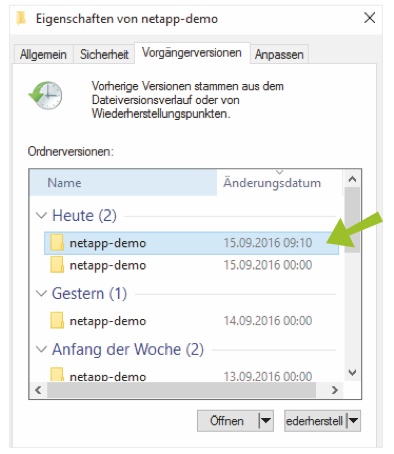
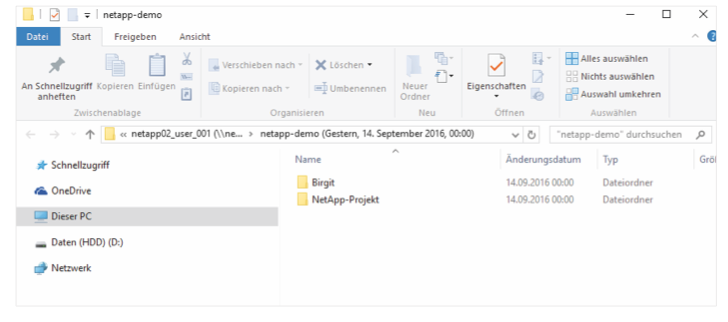
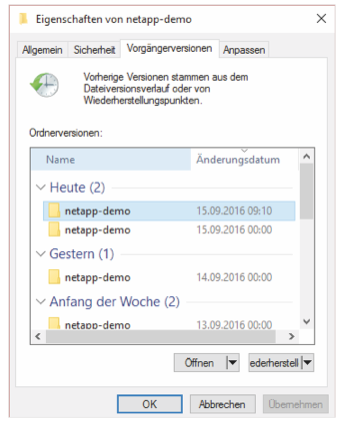
Users can view snapshots by selecting the "Properties window" in the context menu for their working directory or any other directory. In the "Previous Versions" tab of this window, all available snapshots are displayed. Select the desired snapshot and click "Restore". In most cases, only individual files need to be restored. To do this, open the selected snapshot using the "View" button or simply by double-clicking in Explorer. Note If files exist in the selected directory, they will be overwritten.
Copying the files
Alternatively to directly restoring and opening the snapshot in the Explorer window, the snapshot of the selected directory can also be completely copied to another location. Select the corresponding file, press "Ctrl" and "c" simultaneously, and paste the copied content at the desired storage location.
Access via Command Prompt
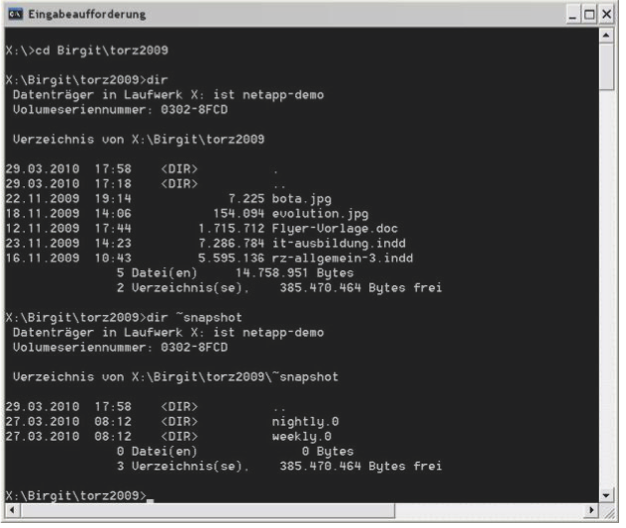
In addition to selecting via the context menu, snapshots can also be accessed directly via the path name. To do this, specify the snapshot named .snapshot or ~snapshot in the Explorer path or in the command line in the desired directory. This allows files from snapshots to be restored or copied via the command line as well. The versions can be reconstructed from the snapshot names, with the most recently created snapshot always being the one with the smallest number.